SendGrid vs Mailgun: sending model, webhooks and switching
The two services take opposite positions on how a request is shaped and how an event callback is trusted. SendGrid takes one JSON document at a single host, with a bearer API key and a "personalizations" array that accepts up to 1,000 entries. Mailgun takes form fields at a per-domain URL with HTTP basic auth, and signs every webhook it sends with a shared HMAC key. SendGrid signs events with an ECDSA key pair, but only if you switch the feature on. If you are moving code from one to the other, that difference in request shape and in webhook verification is where the work sits, and this page walks through both directions. Cost at each volume is covered separately in Mailgun vs SendGrid pricing.
Two ways to send the same message
Here is the first-message example from SendGrid's API getting-started guide:
curl --request POST \
--url https://api.sendgrid.com/v3/mail/send \
--header 'Authorization: Bearer <<YOUR_API_KEY>>' \
--header 'Content-Type: application/json' \
--data '{"personalizations":[{"to":[{"email":"john.doe@example.com","name":"John Doe"}],"subject":"Hello, World!"}],"content": [{"type": "text/plain", "value": "Heya!"}],"from":{"email":"sam.smith@example.com","name":"Sam Smith"},"reply_to":{"email":"sam.smith@example.com","name":"Sam Smith"}}'
And the equivalent from Mailgun's send-via-HTTP guide:
curl -s --user 'api:YOUR_API_KEY' \
  https://api.mailgun.net/v3/YOUR_DOMAIN_NAME/messages \
  -F from='Excited User <postmaster@YOUR_DOMAIN_NAME>' \
  -F to=recipient-1@example.com \
  -F to=recipient-2@example.com \
  -F subject='Hello there!' \
  -F text='Testing some Mailgun awesomeness!'
Three things stand out. SendGrid has one host, https://api.sendgrid.com/v3/, and the guide says its IP addresses change without notice, so never hardcode them. Mailgun puts your sending domain in the path, and if the domain lives in its EU region you swap api.mailgun.net for api.eu.mailgun.net. And SendGrid states that basic authentication is no longer accepted, so every call needs an API key in a bearer header, while Mailgun authenticates with a user named api and your key as the password.
Size limits differ slightly. SendGrid caps a message at 20MB including headers and attachments; Mailgun's HTTP guide gives 25MB. Both vendors expose SMTP as well, but Mailgun's FAQ advises the HTTP API when you are building an application, saying SMTP is easy to set up and the API is more reliable at scale.
Field mapping when you rewrite the call
| Purpose | SendGrid v3 mail/send | Mailgun messages |
|---|---|---|
| Recipients | personalizations array, up to 1,000 entries per request | Repeated or comma-separated to; per-recipient values use %recipient.fname% style variables in a batch call |
| Stored template | template_id with Handlebars data from dynamic_template_data | template plus a JSON t:variables value |
| Grouping tag | categories | o:tag |
| Custom data carried to events | custom_args | v:name variables, which return under user-variables in events |
| Scheduled send | send_at Unix timestamp, at most 72 hours ahead | o:deliverytime in RFC 2822 format, 3 or 7 days ahead depending on plan |
| Per-message tracking | The tracking_settings object | o:tracking, o:tracking-opens, o:tracking-clicks |
Mailgun's guide notes one gotcha: when you pass HTML with curl, use --form-string for the html field or the command may fail. That detail only affects curl users, not SDK users.
Event webhooks and how each one proves it is genuine
SendGrid: optional ECDSA signature or OAuth 2.0
SendGrid's Event Webhook posts delivery events (processed, dropped, deferred, delivered, bounce) and engagement events (open, click, spam report, unsubscribe). The free trial includes one webhook, Essentials two and Pro five. Security is opt-in. In the dashboard you open Settings, then Mail Settings, then Event Webhooks, toggle Enable Signed Event Webhook and press Save, because the key pair is only generated once the webhook is saved. SendGrid then posts a signature in the X-Twilio-Email-Event-Webhook-Signature header and a timestamp in X-Twilio-Email-Event-Webhook-Timestamp. To verify, you base64-decode the signature and unmarshal its ASN.1 structure, hash the timestamp followed by the raw request bytes with SHA-256, and check the result against your public key. The security guide warns that parsing the body to JSON and back can change the bytes and break the check, so capture the raw body first. SendGrid publishes helper libraries for Node, Python, Go, Java, PHP, Ruby and C#. The OAuth 2.0 client-credentials option is independent, and you can run both together.
Mailgun: HMAC on every post
Mailgun signs every event webhook and every inbound-route post with the account's Webhook Signing Key, found under Settings, API Security, HTTP webhook signing key. That key is account-wide and is not your API key. The payload carries token, timestamp and signature, where the signature is the hex HMAC-SHA256 of the timestamp joined to the token. Here is the verification snippet from Mailgun's securing webhooks page:
const crypto = require('crypto')

const verify = ({ signingKey, timestamp, token, signature }) => {
  const encodedToken = crypto
    .createHmac('sha256', signingKey)
    .update(timestamp.concat(token))
    .digest('hex')
  return (encodedToken === signature)
}

// Event webhook: values are under payload.signature
// verify({ signingKey, ...payload.signature })
Mailgun suggests caching each token to refuse replays and checking that the timestamp is not far from the present, without being too aggressive. It also attaches a TLS client certificate when your endpoint uses valid TLS, with the common name webhooks.mgsend.net. Event names in its docs include delivered, opened, clicked, unsubscribed and complained, and when a message is taken in, the log records an Accepted entry before any Delivered event.
What the difference means for your receiver
Mailgun verification is a shared secret and ten lines of standard library code. SendGrid verification needs an ECDSA-capable library and careful raw-body handling, but the private key never leaves SendGrid, so a leaked receiver config cannot be used to forge events. If you currently accept SendGrid events without enabling signing, moving to Mailgun gives you a signed payload to verify from the first request.
Plan limits that touch a migration
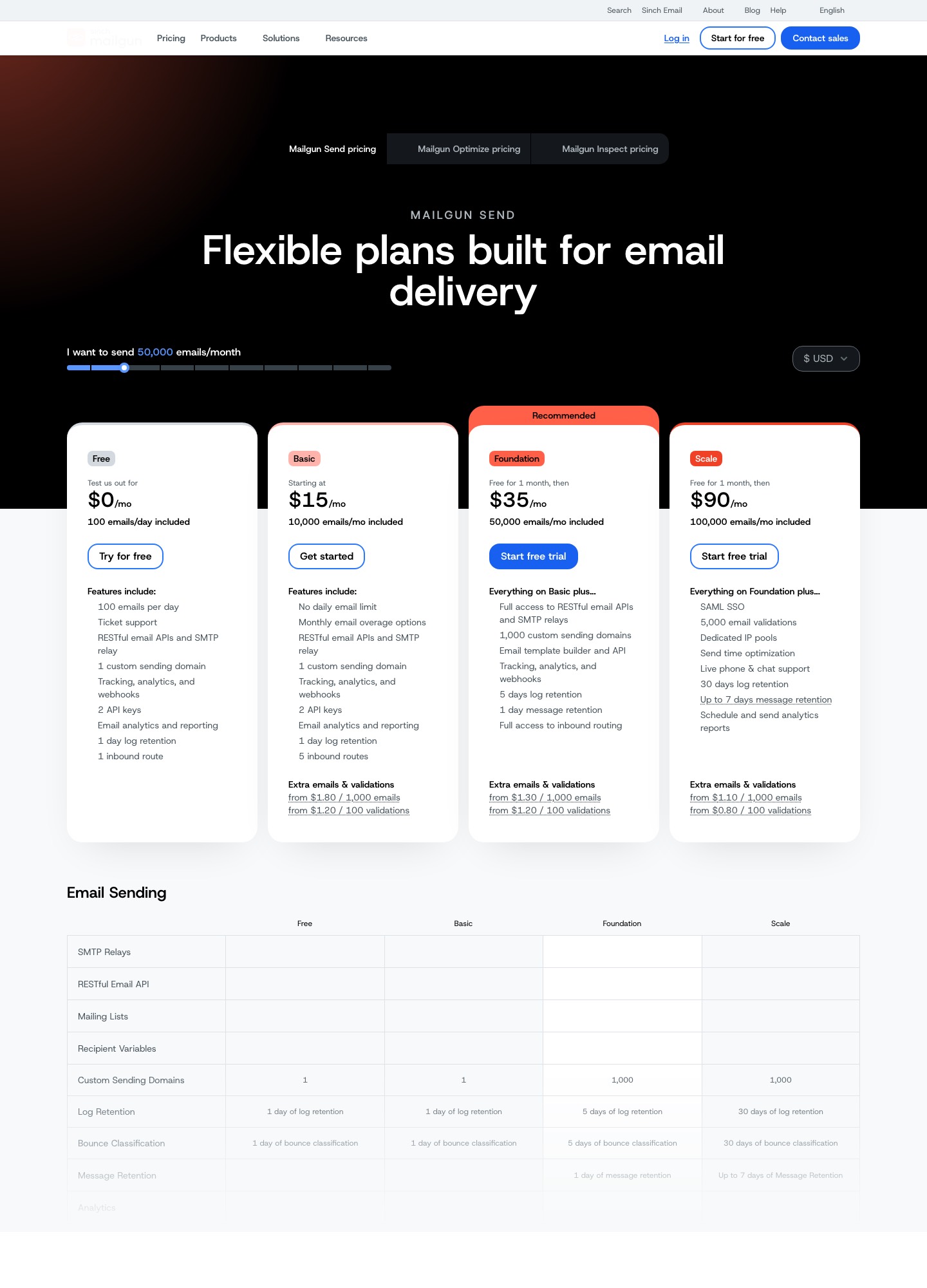
Several of the steps below are capped by the plan you buy, so check these before you cut over. On SendGrid, the number of event webhook endpoints is 1 on the $0 trial, 2 on Essentials (from $19.95) and 5 on Pro (from $89.95); teams that split events across a billing service, an analytics pipeline and an alerting service run out on Essentials quickly. On Mailgun, webhooks appear on every plan including the $0 Free one, but inbound routes are 1 on Free, 5 on Basic ($15) and full routing from Foundation ($35), and an email template builder with a templates API starts at Foundation too.
Sending domains matter for agencies and multi-brand products. Mailgun allows one custom sending domain on Free and Basic and 1,000 from Foundation, so a migration that carries ten brands cannot land on Basic. SendGrid's feature list shows subuser management only from Pro up, which is where its way of separating client accounts begins.
Migrating from SendGrid to Mailgun
- Add the sending domain in Mailgun and publish the DNS records it lists. Keep SendGrid's DKIM and link-branding records in place until the last message has gone out through SendGrid.
- Change the host, swap the bearer header for basic auth, and convert the JSON document to form fields using the mapping table above. Decide at this point whether the domain belongs in the US or EU region.
- Recreate dynamic templates as Mailgun templates and replace
dynamic_template_datawitht:variables. - Replace your ECDSA verification with the HMAC check, and map events: SendGrid's processed is closest to Mailgun's Accepted log entry, and Mailgun's docs name no single counterpart for dropped, so check how it reports messages it refuses before you rely on a mapping.
- Export unsubscribes, bounces and spam reports from SendGrid and load them into Mailgun's suppression list before your first send. Both vendors list suppression management on their pricing pages.
- If you ran a dedicated IP at SendGrid, note that Mailgun's feature table lists automated dedicated IP warm-up, and still shift traffic gradually rather than all at once.
Migrating from Mailgun to SendGrid
- Authenticate the domain at SendGrid with its SPF and DKIM domain authentication, and add link branding if your links used a branded tracking host.
- Create an API key. SendGrid lets you restrict keys to admin, read-only or specific features, so give the application only mail send.
- Convert form fields to the JSON body, turn
o:tagintocategoriesandv:variables intocustom_args, and bundle batch recipients intopersonalizations. - Move inbound routes to SendGrid's Inbound Parse webhook, which posts parsed message content and attachments to your URL.
- Enable the Signed Event Webhook, store the public key, and replace the HMAC check. Count your endpoints against the plan, since Essentials allows two.
- Check attachment sizes against the 20MB ceiling and expect searchable history to drop from Mailgun Scale's 30 days to SendGrid's 3 or 7.
Related pages
If you are comparing newer APIs, see Resend vs SendGrid and Postmark vs SendGrid. Mailgun's plan details live on the Mailgun pricing guide, and SendGrid alternatives covers other exits.
FAQ
Does Mailgun sign webhooks by default?
Yes. Its documentation says every webhook post is signed with the account's Webhook Signing Key. SendGrid's signing is a toggle you enable on each webhook.
Can I run both providers while I migrate?
Yes. Each vendor authenticates a separate sending domain or subdomain, so you can publish both sets of DNS records and route a share of traffic to the new service. Keep the old records until its queue is finished.
Which request format is easier to template?
SendGrid takes everything in one JSON document, which suits SDK use and nested personalization. Mailgun's flat form fields are quicker to write in curl or shell scripts, but arrays of per-recipient data need the variables syntax.
Do the two use the same event names?
Not exactly. SendGrid uses processed, delivered, deferred, dropped, bounce, open, click, spam report and unsubscribe. Mailgun's documentation names delivered, opened, clicked, unsubscribed and complained, so map them in a lookup table and test with real events.